
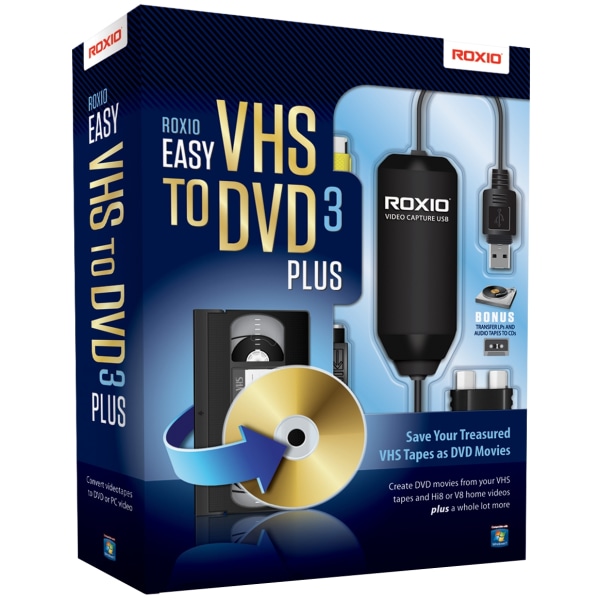
Corel Roxio Easy VHS To DVD 3 Plus, Disc
Prices and availability subject to change.
Overview
Corel Roxio Easy VHS to DVD 3 Plus (Disc) is a consumer-focused video transfer kit that combines a USB analog capture device with Roxio’s simplified DVD-authoring software. It’s made for people who want to convert VHS, Hi8 and other analog tapes into playable DVDs or MP4 files without learning professional editing tools. The package emphasizes a guided workflow — connect your VCR or camcorder, capture in real time, stabilize shaky footage, add simple transitions and rolling credits, then burn to DVD or export compressed video files. It’s a practical choice for families, hobbyists, small organizations and anyone preserving legacy tapes who needs a straightforward, Windows-based solution with built-in capture hardware and basic restoration tools.
Key Features
- Included USB capture device (composite RCA and S-Video inputs plus stereo RCA audio) for direct connection to VCRs and analog camcorders.
- Real-time capture to DVD-compliant MPEG-2 and common digital formats such as H.264/MP4 for easy playback on modern devices.
- Video stabilization and basic restoration tools to reduce shake and improve viewing quality from older tapes.
- DVD-authoring templates with menu creation, transition effects and rolling credits; option to split long recordings across multiple discs.
- Full-screen preview during capture and simple trimming/editing workflow; disc-based installer with product key and downloadable installer option if no optical drive.
Pros & Cons
Pros
- Includes USB analog capture device so you can start transferring tapes without extra hardware.
- Guided wizard and full-screen preview make capture and basic editing approachable for non-experts.
- Built-in stabilization, transitions and rolling-credit templates speed up simple restorations and productions.
- Produces standard DVD-compliant MPEG-2 projects and MP4 exports for mobile/cloud storage.
- Split/fit feature automatically breaks long recordings to span multiple discs when burning DVDs.
Cons
- Windows-only software — not compatible with macOS without a Windows virtual machine.
- Capture quality is limited by the original analog source and USB analog-to-digital conversion (real-time capture required).
- Installer comes on disc, which may be inconvenient for computers without an optical drive (download option may be required).
- Editing tools are basic compared with dedicated video-editing suites; fine-grain restoration requires third-party tools.
Recommendations
- Home users digitizing family VHS, S-VHS or Hi8 tapes to preserve memories on DVD or MP4.
- Small organizations or clubs that need an affordable way to convert analog event recordings to digital files for sharing or archiving.
- Gift-makers who want to compile and burn edited DVD copies (menus and credits) of home movies for relatives.
- People replacing aging playback hardware who want a one-stop solution (capture hardware + software) without learning professional editing suites.
Price Comparison & Trends
Corel Roxio Easy VHS To DVD 3 Plus is currently priced as low as $49.99 at Best Buy, representing a potential savings of $19.96 compared to the highest price of $69.95 found at other retailers. This software has been added to 1 wishlist on LMK.today, indicating a growing interest among consumers. Over the past 30 days, the price has remained stable at Best Buy, while competitors like Office Depot and OfficeMax have not matched this low price. Given the current trends and the potential for price fluctuations, now is an excellent time to consider purchasing this video editing software, especially if you are looking for cost-effective solutions to digitize old VHS tapes.
With the current price stability and potential savings, it's advisable to buy now rather than wait.
Track this product on LMK.today to get price drop alerts and compare prices across multiple retailers.
Frequently Asked Questions
Advertisement