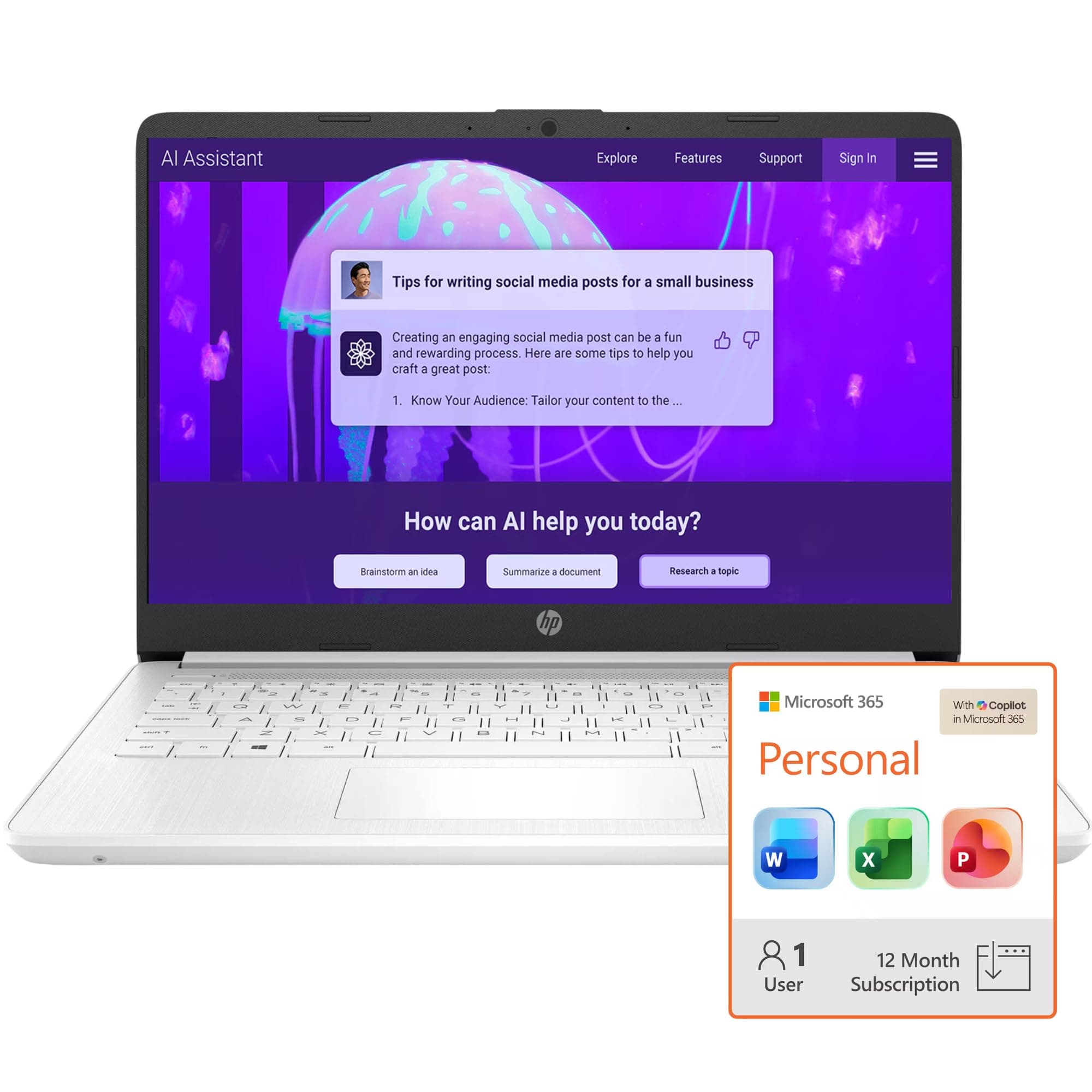
HP 16GB RAM Student and Home Laptop with Microsoft 365, 1TB Cloud Storage and 64GB SSD, Fast Intel Core, Win 11 w/o Earbuds – Perfect for Work & Play Neutral
(449 reviews)
A
Amazon
Finding more prices...
Overview
Check out the HP 16GB RAM Student and Home Laptop, a total game changer for anyone juggling work and play! With lightning-fast Intel Core processing, 1TB of cloud storage for all your files, and Microsoft 365 included, this laptop makes multitasking a breeze. Plus, the 64GB SSD ensures quick boot times and smooth performance, so you can dive into your favorite games or crush that school project without a hitch. Whether you're streaming the latest shows or putting together a presentation, this laptop’s got your back!
Key Features
- 16GB RAM for seamless multitasking and smooth performance
- 1TB cloud storage for all your files and projects, plus a speedy 64GB SSD for booting up in a flash
- Powered by a fast Intel Core processor to handle everything from gaming to research
- Windows 11 for a modern interface with cool features like Snap Layouts and Widgets
- Comes with Microsoft 365 for productivity on the go, perfect for students and professionals alike
Pros & Cons
Pros
- 16GB RAM for smooth multitasking
- 1TB cloud storage for all your files
- Fast Intel Core processor
- Comes with Microsoft 365 for productivity
Cons
- 64GB SSD may fill up fast
- No earbuds included
- Might not be suitable for heavy gaming
- Neutral design lacks flair
Recommendations
- Ideal for students juggling classes, projects, and some Netflix binge-watching
- Great for working from home, especially when you need to switch between tasks quickly
- Perfect for anyone who needs a reliable laptop that’s ready for both work and play
- Consider it your go-to device for taking notes in class or managing your online life effortlessly
Price Comparison & Trends
Track this product on LMK.today to get price drop alerts and compare prices across multiple retailers.
Frequently Asked Questions
Yep! It’s super easy to switch out of S mode if you want to install apps that aren’t in the Microsoft Store. Just go to Settings > System > Activation and follow the prompts to take the leap.
View this page in: English · Español
Advertisement
More to Explore
$399.99
from Amazon