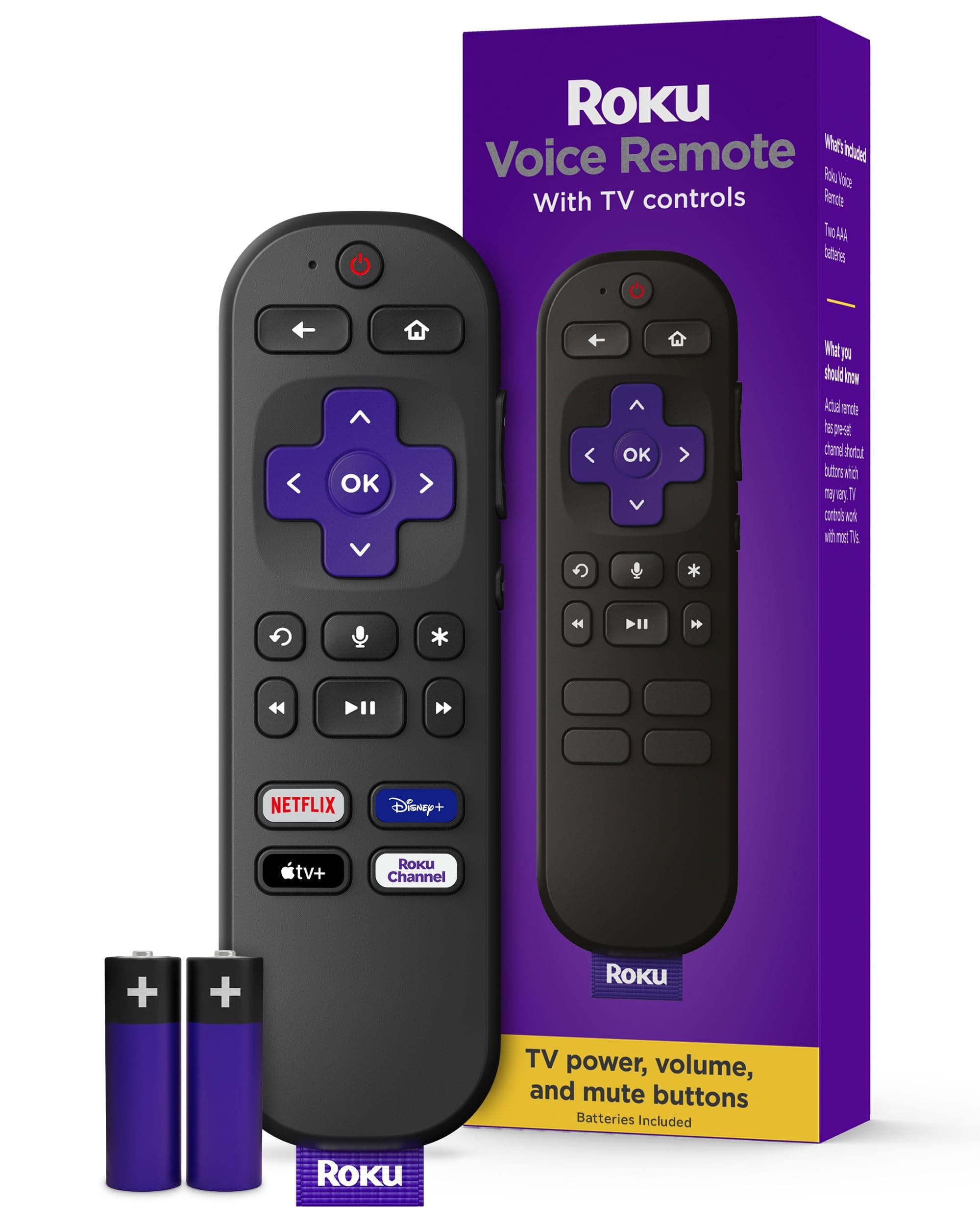
Roku Voice Remote | Replacement TV Remote Control with Voice Control, Simple Setup, & Pre-Set App Shortcuts - Compatible with Roku TV, Players, & Audio Devices
by Roku
Share:
A
Amazon
Finding more prices...
Overview
The Roku Voice Remote is a straightforward replacement or upgrade remote designed specifically for Roku streaming devices, Roku TVs, and compatible audio gear. It combines hands-free voice search with familiar physical buttons so you can speak to find shows, launch channels, or control playback, or use dedicated volume, mute, and power buttons for TV control. Four preset app shortcut buttons put popular streaming services one tap away, and setup is as simple as inserting batteries and letting the remote pair automatically. This remote is best for households that stream a lot, need an easy-to-use backup remote, or want voice features without paying for high-end universal remotes.
Key Features
- Built-in microphone for Roku voice search and voice commands — say titles, channels, or actions to search and control
- Power, volume, and mute buttons to control TV audio and power (uses IR or HDMI-CEC depending on TV and Roku model)
- Four pre-set channel shortcut buttons for one-tap access to popular streaming services
- Easy setup: insert two AAA batteries (remote ships with a pull tab in retail units) and the remote pairs automatically to the Roku device
- Works with Roku TVs, Roku streaming players, and many Roku-enabled audio devices for broad compatibility
Pros & Cons
Pros
- Voice search speeds finding shows and apps without typing
- Dedicated TV volume, mute, and power buttons for convenient control
- Four one-touch app shortcut buttons for quick access to popular channels
- Simple setup — pull battery tab and the remote pairs automatically with most Roku devices
- Compatible across Roku TVs, streaming players, and many Roku-enabled audio devices
Cons
- Depends on batteries (typically two AAA) — not rechargeable
- Some advanced features vary by Roku model and TV manufacturer (e.g., HDMI‑CEC behavior)
- Preset shortcut apps are fixed and may differ by region or device, not user-programmable
- No backlight or dedicated remote-finder feature on standard Voice Remote models
Recommendations
- People replacing a lost or broken Roku remote who want voice search and TV audio control
- Households that share a living room Roku TV and want quick app access via preset buttons
- Secondary rooms (bedroom, kitchen) where you want a low-cost remote with voice capability
- Gift buyers seeking a simple, familiar streaming accessory for friends or family new to Roku
Frequently Asked Questions
Most Roku Voice Remotes pair automatically after you insert two AAA batteries and remove the plastic pull tab. If pairing doesn’t start, follow the on-screen pairing instructions in your Roku settings or hold the pairing button (if present) in the battery compartment until the pairing light blinks.
View this page in: English · Español
Advertisement
More to Explore
$19.88
from Amazon