Macro Keypad, Stream Controller Deck Gaming Streaming Shortcut Keyboard, 18 Programmable Keys Customizable Visual AI Pad USB Soundboard for OBS, YouTube, Desk Office Setup, Laptop, PC, Mac
Overview
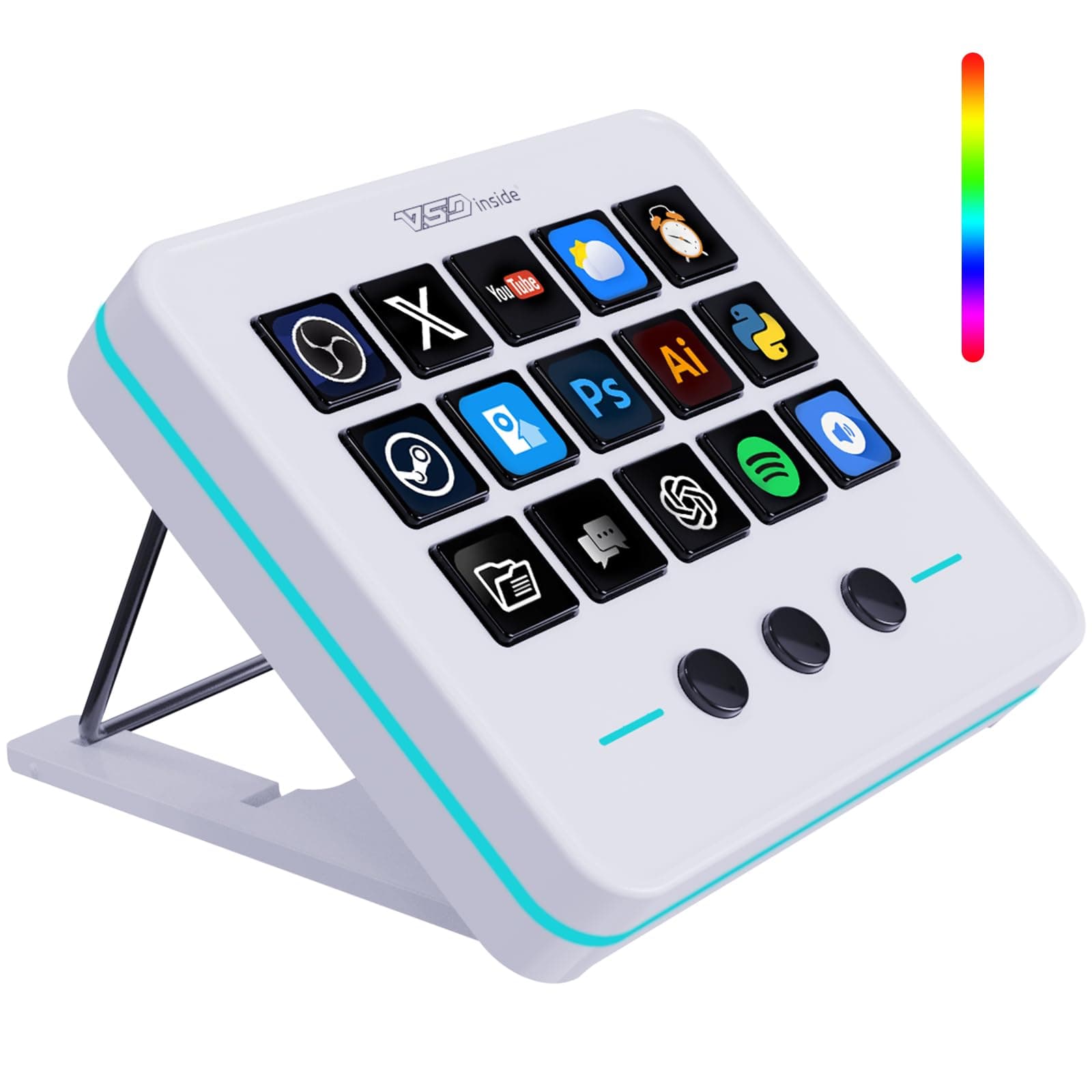
The VSDINSIDE Macro Keypad is an 18-key programmable stream controller designed for content creators, gamers, and power users who want one-touch control without reaching for menus. It combines a compact desktop footprint with fully assignable keys so you can trigger OBS scenes, sound effects, hotkeys, or multi-step macros quickly. The unit is USB-powered for low-latency response and ships with companion software to customize key functions and visuals, letting you set icons, audio clips, and profile switches. If you stream on YouTube or Twitch, record podcasts, or use keyboard shortcuts heavily in editing apps, this device speeds workflows and reduces repetitive keystrokes.
Key Features
- 18 programmable keys: assign macros, hotkeys, media controls, OBS actions and mouse shortcuts to any key.
- Visual key customization: set custom labels or icons per key through the device software to match scenes and functions.
- USB-powered low-latency connection: plug into a PC or Mac USB port for immediate response during live streams and gameplay.
- Soundboard functionality: store and trigger audio clips with a single press; useful for effects, jingles, and muted/unmuted cues in OBS.
- Profile and memory support: create and switch between multiple profiles for different apps or games so your layouts travel with you.
Pros & Cons
Pros
- 18 fully programmable keys for macros, hotkeys, media and scene switching
- Dedicated soundboard support for instant audio clips and muting during streams
- Compact, desk-friendly design that frees up space while centralizing controls
- Visual customization (icons/labels) makes it faster to find the right key at a glance
- Low-latency USB connection suitable for live streaming and gaming
Cons
- Advanced configuration requires companion software that may have a learning curve
- Some advanced integrations (plugins) can be less polished than larger ecosystems
- Wired-only USB connection limits placement compared with Bluetooth devices
- Keys are compact—may feel small for users with large hands or heavy use
Recommendations
- Live streamers using OBS or other broadcast software who need quick scene, media and audio control.
- Podcasters and voice producers who want a one-touch soundboard for jingles, clips and mute control.
- Video editors and power users who rely on repetitive keyboard shortcuts and want a dedicated macro bank.
- Gamers who use macros for complex in-game actions or want to consolidate controls beside their main keyboard.
Price Comparison & Trends
Track this product on LMK.today to get price drop alerts and compare prices across multiple retailers.
Frequently Asked Questions
View this page in: English · Español
Advertisement
More to Explore
from Amazon